Ergonomic Chair vs Standing Desk: Which Should You Buy First?
Torn between an ergonomic chair and a standing desk? We compare comfort, health benefits, cost, and ROI to help you decide which to prioritize for your home office.
7 min read · Home Office Guide Team
Ergonomic Chair vs Standing Desk: Which Comes First?
When you are building a home office on a limited budget, the most common question is whether to invest in a high-quality ergonomic chair or a standing desk first. Both are pitched as the solution to back pain and fatigue, both cost real money, and most people cannot afford both at once.
This guide compares the two directly so you can make an informed choice based on your actual work habits, your pain points, and your budget. The short answer is that the chair almost always comes first, but the long answer depends on how you spend your day. Here is how to decide.
Who This Guide Is For
This guide is for anyone setting up or upgrading a home office with a limited budget, typically $300-$1,000 to spend on either a chair or a desk (not both yet). If you are starting from a kitchen chair and a dining table, or you have a basic task chair and want to upgrade, this comparison will help you sequence your spending for the biggest ergonomic gain per dollar.
Step 1: Understand What Each Actually Solves
What an Ergonomic Chair Solves
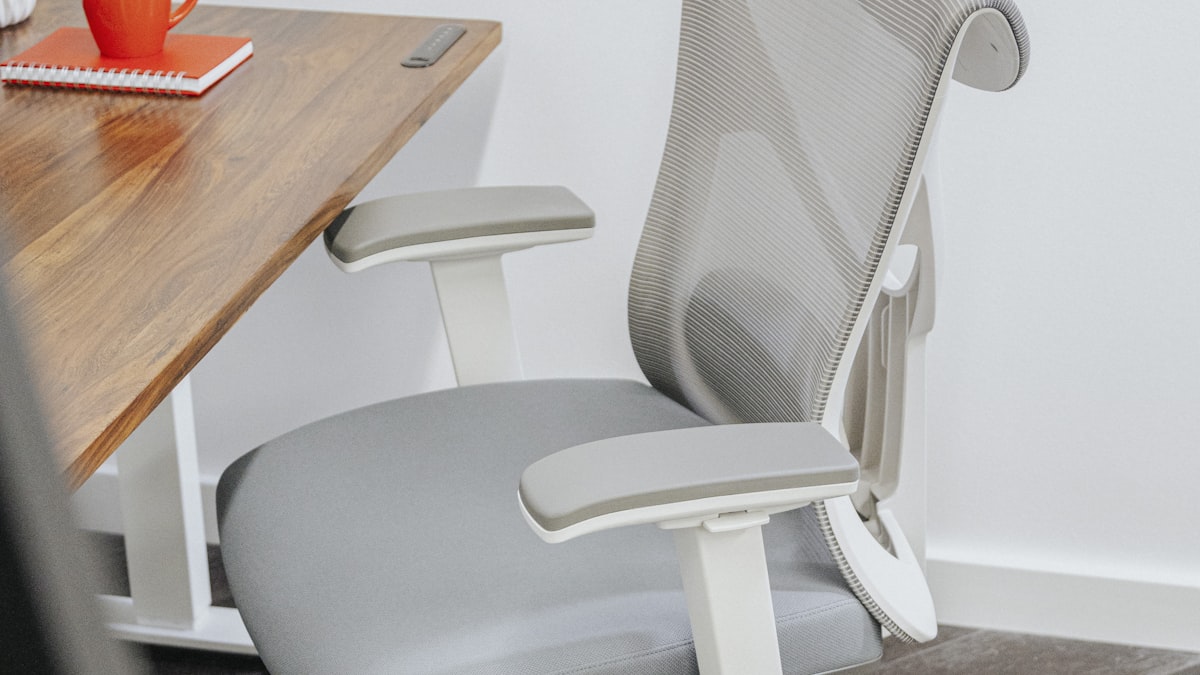
An ergonomic chair addresses the thing your body touches for the most hours per day: the seat. It keeps your spine in a neutral curve, supports your lumbar region, distributes weight across your hips rather than your tailbone, and lets your forearms rest at desk height. The result is less back, neck, and shoulder fatigue at the end of the day.
What a Standing Desk Solves
A standing desk addresses the lack of movement that comes from sitting for hours. Alternating between sitting and standing improves circulation, reduces post-lunch energy dips, and relieves the static load on your spine and hips. It does not, on its own, fix poor sitting posture.
| Problem | Best Addressed By |
|---|---|
| Lower back pain while sitting | Ergonomic chair |
| Hip tightness and stiffness | Standing desk |
| Neck and shoulder fatigue | Ergonomic chair (with armrests) |
| Afternoon energy crash | Standing desk |
| Poor posture (slouching) | Ergonomic chair |
| Varicose veins, swollen legs | Standing desk |
Step 2: Compare the Health Benefits
Ergonomic Chair Benefits
- Reduces lower back pain by maintaining lumbar curve (studies show 30-50% reduction in chronic lower back pain symptoms)
- Prevents slouching and forward head posture
- Distributes weight to reduce pressure on the tailbone and thighs
- Supports proper arm and shoulder alignment for typing
Standing Desk Benefits
- Reduces prolonged static sitting, which is linked to cardiovascular and metabolic risks
- Improves post-meal blood sugar response
- Increases afternoon energy and alertness
- Engages core and leg muscles lightly throughout the day
The nuance: The research consensus is that standing all day is not good either. The benefit comes from alternating positions, ideally sitting for roughly two hours and standing for 30-45 minutes of every work block.
Step 3: Compare Real-World Comfort
An ergonomic chair improves comfort the moment you sit in it, and that comfort compounds every hour you stay seated. A standing desk improves comfort by giving you the option to stand, but only if you actually use it; many standing-desk owners sit 90% of the day after the novelty wears off.
If you currently end the day with a sore lower back, the chair will deliver a more reliable day-one improvement. If your main complaint is stiffness and sluggishness, the standing desk will deliver more.
Step 4: Compare the Cost and Value
| Factor | Ergonomic Chair | Standing Desk |
|---|---|---|
| Quality entry price | $300-$500 | $400-$600 |
| Premium price | $900-$1,600 | $700-$1,200 |
| Lifespan | 7-12 years (premium) | 10-15 years |
| Resale value | Medium | Medium |
| Cost per year (premium) | ~$100-$150 | ~$70-$100 |
Per year of use, a standing desk is slightly cheaper because it lasts longer. But the chair delivers more ergonomic benefit per dollar because it touches your body for far more hours each day.
Step 5: Assess Your Own Work Pattern
Answer these honestly:
- How many hours do you sit per workday? Over seven hours favors the chair.
- Do you already take standing breaks? If you naturally pace on calls, the standing desk adds less value.
- Where is your pain? Lower back and neck pain point to the chair. Hip stiffness and leg heaviness point to the desk.
- Do you have a decent chair already? If yes, the desk is the bigger upgrade. If your chair is a kitchen stool, the chair wins by a mile.
- Will you actually use a standing desk? Be honest. If you suspect you will not, the chair is the safer investment.
Step 6: The Recommended Sequence
For most people building a home office from scratch, the optimal sequence is:
- First: a quality ergonomic chair ($300-$500). This is the single highest-leverage purchase for daily comfort and long-term back health.
- Second: a standing desk ($400-$600). Add this once your chair is sorted, ideally within six to twelve months.
- Third: a budget standing desk converter ($200-$300). If you cannot yet afford a full standing desk, a converter on your existing desk gives you 70% of the benefit for half the cost while you save up.
Tips for Getting the Most From Either Purchase
- Pair the chair with proper desk height. Even the best chair underperforms if your desk is too high; consider an under-desk keyboard tray if needed.
- Pair the standing desk with an anti-fatigue mat. Standing on a hard floor for 45 minutes is uncomfortable; a $40 mat solves this.
- Set sit-stand reminders. A standing desk only helps if you use it. Use a phone timer or app to prompt transitions.
- Position your monitor correctly regardless. Monitor height (top edge at eye level) matters more than chair or desk for neck pain. See our ergonomic workspace setup guide.
Common Mistakes to Avoid
- Buying a standing desk to fix back pain caused by a bad chair. Standing more does not correct poor sitting posture; it just delays the pain.
- Buying a premium chair and pairing it with a desk that is too high. This forces shrugged shoulders and undermines the chair's armrests.
- Standing for too long. Standing for hours strains the knees and lower back. Aim to alternate every 30-60 minutes.
- Skipping the anti-fatigue mat. Without one, your standing desk will sit unused within weeks.
Frequently Asked Questions
Which is better for back pain, a chair or standing desk?
For most people, an ergonomic chair. Lower back pain is usually caused by poor sitting posture, which the chair directly addresses. A standing desk helps by reducing total sitting time, but it does not correct posture.
Can I use a standing desk with a cheap chair?
Yes, and this is a legitimate strategy if you alternate positions. The risk is that when you sit (which is still most of the day), the cheap chair undermines your posture. If budget forces a choice, fix the chair first.
Is a standing desk converter a good compromise?
Yes. A $200-$300 converter on an existing desk gives you most of the standing benefit at half the cost of a full standing desk. It is the best intermediate step while you save for a quality chair or full desk.
How long should I stand at a standing desk?
Research suggests roughly 30-60 minutes of standing per hour, alternated with sitting. Avoid standing for more than two hours continuously, which can cause knee and lower-back strain.
Conclusion
For most home office builders, the ergonomic chair should come first. Your body touches it for far more hours per day, and the day-one improvement in back, neck, and shoulder comfort is more reliable than the standing desk's benefit. Once your chair is sorted, add a standing desk (or a converter as an intermediate step) to introduce movement and break up long sitting blocks.
The ideal end state is both: a quality ergonomic chair paired with a stable standing desk, alternated throughout the day. But if you must sequence your spending, the chair wins.
Last updated: June 2026. We update this comparison as new chair and standing desk models reach the market.